Podcast and live production studio with microphones and desk equipment
Podcast studio. Photo by Ajcosta, CC BY-SA 4.0 via Wikimedia Commons.
Live Streaming

Build a streaming kit that fits your budget and your show.

Shop practical live-streaming equipment online in Malaysia from Altech Camera in Kuala Lumpur. Start affordable with the phone, webcam or camera you already own, then spend on the layer that actually improves the show: audio, lighting, capture, switching or a dedicated camera.

Quick answer · shop the starting point

Keep the first setup affordable by buying only the layer you are missing.

You do not need a complete studio to start. If you already own a phone, webcam or camera, keep it and fix the weakest part first. The routes below take you into live Altech catalogue stock; use the deeper guide when you need to decide how those layers fit together.

Affordable starter Use the camera you already ownStart with voice, light and a reliable capture path before replacing the whole setup. Fix the sound Shop microphones & wireless audioFor a solo host, interview or two-person stream where voice quality is the obvious weak point. Fix the picture cheaply Shop continuous lightingA better light often improves a webcam or existing camera more than another body does. Two people / podcast Shop podcast & conversation gearStart with the number of voices you must capture cleanly, then add cameras and switching only when the show needs them.
Understand the system

See what connects to what before you buy another box.

Start with the simplest software-led route. Follow the picture from camera to live delivery, then see where audio, lighting, control, monitoring and resilience connect around it.

Scenario · Solo / software-led
0/5 core catalogue layers mapped
8 open system / graph gaps

This first map uses the simplest software-led route. More complex scenarios remain in the sections below.

Core When needed Optional Later / resilience Reviewed product mapped Missing / unresolved
Primary signal route

Follow the picture from source to the live destination.

The arrow label tells you what moves between each layer. Supporting audio, light, control and resilience sit around this route rather than pretending every device belongs in one cable chain.

  1. Picture Core

    Camera / picture source

    Missing layer

    This is a core part of the scenario and does not yet have a reviewed contextual product attached.

    Category path · not a verified pairing Browse this layer →
    From
    Lighting Affects
    To
    Capture / video ingest Video
    Video Typical system path
  2. Picture Conditional

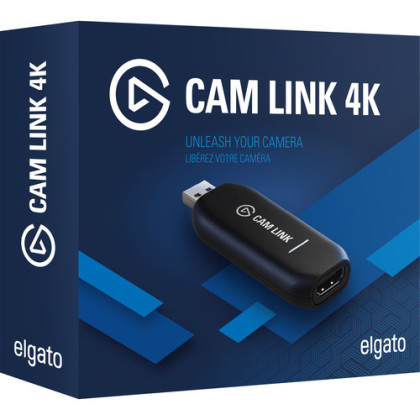
    Capture / video ingest

    When needed

    This layer becomes necessary only when the production condition described by the guide applies.

    Category path · not a verified pairing Browse this layer →
    From
    Camera / picture source Video
    To
    Production Video
    Video Typical system path
  3. Production Core

    Production

    Missing layer

    This is a core part of the scenario and does not yet have a reviewed contextual product attached.

    Category path · not a verified pairing Browse this layer →
    From
    Capture / video ingest Video Microphone / audio source Audio Production control Control Backup power Power
    To
    Monitoring Monitor Recording Record Encode / deliver Programme
    Programme Typical system path
  4. Production Core

    Encode / deliver

    Missing layer

    This is a core part of the scenario and does not yet have a reviewed contextual product attached.

    Category path · not a verified pairing Browse this layer →
    From
    Production Programme Backup network Network
    To
    Network Network
    Network Typical system path
  5. Infrastructure Core

    Network

    You provide this

    The setup needs this layer, but the current topology does not treat it as an Altech catalogue purchase.

    From
    Encode / deliver Network
    To
    Live platform Network
    Network Typical system path
  6. Destination Core

    Live platform

    External destination

    This is part of the system, but it is not an Altech catalogue product.

    From
    Network Network
    To
    End of this route
Supporting layers

These connect into the show without sitting in one straight line.

Core means the scenario needs the capability. Conditional means it appears only when the production grows in that direction. Optional and later layers should solve a named problem before you add them.

Audio Core

Microphone / audio source

Missing layer

This is a core part of the scenario and does not yet have a reviewed contextual product attached.

Category path · not a verified pairing Browse this layer →
From
Independent / source layer
To
Production Audio
Support Core

Lighting

Missing layer

This is a core part of the scenario and does not yet have a reviewed contextual product attached.

Category path · not a verified pairing Browse this layer →
From
Independent / source layer
To
Camera / picture source Affects
Support Optional

Monitoring

Optional

Useful when it removes a real production constraint, but not required to make the basic path work.

Category path · not a verified pairing Browse this layer →
From
Production Monitor
To
No downstream system edge
Support Optional

Production control

Optional

Useful when it removes a real production constraint, but not required to make the basic path work.

Category path · not a verified pairing Browse this layer →
From
Independent / source layer
To
Production Control
Support Optional

Recording

Optional

Useful when it removes a real production constraint, but not required to make the basic path work.

Category path · not a verified pairing Browse this layer →
From
Production Record
To
No downstream system edge
Infrastructure Later

Backup network

You provide this

The setup needs this layer, but the current topology does not treat it as an Altech catalogue purchase.

From
Independent / source layer
To
Encode / deliver Network
Infrastructure Later

Backup power

Later / resilience

Add this when failure or operating friction costs more than the extra complexity.

Category path · not a verified pairing Browse this layer →
From
Independent / source layer
To
Production Power
Every connection

From, to, what it carries, and what we actually know.

A typical system path explains the architecture. “Verified pairing” is stronger: it means the selected product pair has positive compatibility evidence. Unverified never silently becomes compatible.

From Camera / picture source
To Capture / video ingest
Carries Video
Evidence Typical system path
From Capture / video ingest
To Production
Carries Video
Evidence Typical system path
From Microphone / audio source
To Production
Carries Audio
Evidence Typical system path
From Lighting
To Camera / picture source
Carries Affects
Evidence Typical system path
From Production control
To Production
Carries Control
Evidence Typical system path
From Production
To Monitoring
Carries Monitor
Evidence Typical system path
From Production
To Recording
Carries Record
Evidence Typical system path
From Production
To Encode / deliver
Carries Programme
Evidence Typical system path
From Encode / deliver
To Network
Carries Network
Evidence Typical system path
From Network
To Live platform
Carries Network
Evidence Typical system path
From Backup network
To Encode / deliver
Carries Network
Evidence Typical system path
From Backup power
To Production
Carries Power
Evidence Typical system path
Important: This map describes the system at capability level. It does not guess HDMI, USB, audio connector or software compatibility from a product name. Exact product pairing stays unverified until Altech has evidence for it.
Go deeper: explore the streaming desk.Every device photo is a live catalogue product. Click one to understand its job before you shop it.
Click gear → inspect → × Close
Click a device to inspect it

The dream streaming table: touch the gear

This is an aspirational live-production table built from real Altech catalogue gear. Click a device to see what job it performs, why it earns space, the trade-off, and live stock or price. Use × Close, Escape, or click anywhere outside the open device to dismiss it.

Price, stock, warranty, condition and pre-owned availability are live from the Altech catalogue.
Camera near eye-lineThe stream feels more conversational when the lens is not floating far above or beside the main display.
Controls within reachAudio, switching and scene control should not force the host to disappear into menus.
Lighting is part of the deskA strong camera cannot rescue a face or product lit badly from behind.
Complexity stays organisedPower, network and cable complexity should disappear underneath the operating surface rather than dominate it.
Reviewed by Altech Camera team · Kuala Lumpur Last reviewed 18 September 2026
How we maintain this guide

We organise streaming recommendations by the job the room has to perform — picture, sound, capture/switching, control, encode/record and resilience — then check whether each extra device removes a real production constraint. Current catalogue availability is kept separate from the editorial reason a device belongs in the system.

Shop in Kuala Lumpur

Build a streaming kit in Kuala Lumpur

Looking for a streaming kit in KL? Altech Camera in Kuala Lumpur carries streaming cameras, HDMI capture and switching gear, wireless audio, portable encoders and creator accessories. Instead of forcing one fixed kit, use the guide to choose the parts your show actually needs from current catalogue stock.

Altech Camera · Kuala Lumpur Altech Camera Lot 0639, Level 6 (West), Berjaya Times Square, No. 1, Jalan Imbi 55100 Kuala Lumpur, Malaysia Call +60129315510
After the starter setup

A streaming setup is a system you can keep layering.

A camera can be one layer. So can a second camera, capture, switcher, audio mixer, wireless microphones, monitor, teleprompter, recorder, encoder, stream controller, lighting, power backup and network redundancy. You do not need all of it. The useful question is which layer removes the next production constraint.

01 · Solo GamingGame capture, face camera, scenes, chat and clean voice — with the PC still doing most of the production. 02 · Solo FacecamEye-line, working distance, lens width, light and a reliable path into the stream. 03 · Solo Just ChattingCamera, lens, light and audio carry more of the experience. 04 · Solo Solo hostOne operator, one primary angle and a signal path simple enough to run without a crew. 05 · Demonstration Product + overheadHost angle, table angle, detail framing and repeatable focus. 06 · Conversation Podcast / talk showTwo voices first, then host, guest and wide shots as needed. 07 · Conversation InterviewFast setup, close microphones and a camera path that survives location changes. 08 · Production Class / worship / performanceSeveral sources, slides, operators, recordings and predictable switching. 09 · Mobile IRL / event / venueMonitoring, battery, weight and network become part of the camera system. 10 · Social Vertical / live commercePortrait framing, overlays, products and operator UI are designed together.
The system underneath every setup

Build the signal path in layers.

There is no technical rule that says a streaming rig stops at a camera and microphone. Each layer below can stay simple or become its own subsystem as the production grows.

1 · PictureCamera, lens, phone, action cam, overhead or additional angles.
2 · SoundWireless, dynamic or shotgun mics, mixer/interface and monitoring.
3 · Capture / switchSingle capture device, hardware switcher, converters and presentation sources.
4 · ControlScenes, overlays, stream controls, confidence monitors and teleprompters.
5 · Encode / recordComputer, hardware encoder, ISO recording and local safety copies.
6 · Stay liveNetwork, backup uplink, mains power, batteries, cooling and redundancy.
Problems streamers actually run into

The dream desk still fails in very ordinary ways.

Community troubleshooting threads repeatedly come back to the same failure modes: audio slowly drifting out of sync, capture devices losing signal or adding lag, overloaded OBS scenes, bad USB/power paths, clipped audio, noisy rooms and unstable uplinks. Treat these as design constraints before adding another camera.

Audio sync

The stream starts fine, then audio drifts.

Long sessions expose timing and monitoring problems that a 30-second test can miss. Capture-card audio and monitored audio are common places where people notice the drift first.

Test: run the real chain for 30–60 minutes and listen to the programme output, not only what you hear locally.
Capture card

Lag, random freezes or “no signal”.

The failure may be USB bandwidth/power, cable length, signal format, HDCP or the capture device itself — not the camera body.

Test: simplify to source → capture → display, then add hubs, adapters and software back one layer at a time.
OBS performance

The game is smooth but the camera or stream is not.

OBS still needs GPU time to composite scenes. Too many active sources, browser overlays, high-resolution captures or simultaneous workloads can make an otherwise powerful system miss frames.

Test: use a deliberately simple scene collection first; add expensive sources back only after the clean scene is stable.
Audio level

Wireless audio clips before it reaches the stream.

A hot wireless receiver feeding a weak input stage can distort even when the microphone itself is fine. Portable encoders and cameras do not all tolerate the same input level.

Test: set gain through the whole path — transmitter, receiver, mixer/interface and final encoder — instead of fixing only the OBS meter.
Room

The webcam is “bad”, but the room is worse.

Backlight, a ceiling light in the wrong place, window A/C noise and hard room reflections can make a perfectly usable camera and microphone look or sound cheap.

Test: move the light and microphone first. Compare before spending on a new camera.
Desk & network

Desk vibration, cable mess and dropped frames appear later.

Boom arms can transmit desk knocks, and a stream that survives a short test can still fail when the uplink or power path is marginal. The neat dream desk needs boring infrastructure underneath it.

Test: rehearse for longer than the actual show, with the same network, power, camera, cables and operator position.
Buying rule: if you cannot name the failure the new device removes, it probably does not belong on the dream desk yet.
01 · Gaming / face cam / Just Chatting

Keep the production in the computer until the computer becomes the problem.

One strong camera angle into OBS or similar software is a very different job from a studio. Put the camera where the eye-line works, get the voice close, light the face, then add control surfaces or hardware only when they reduce friction.

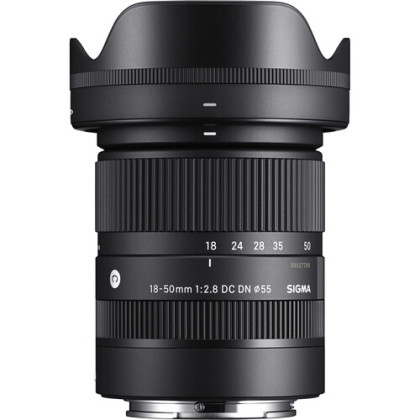
Add a wider lens whenthe desk or room will not let the camera move far enough back.
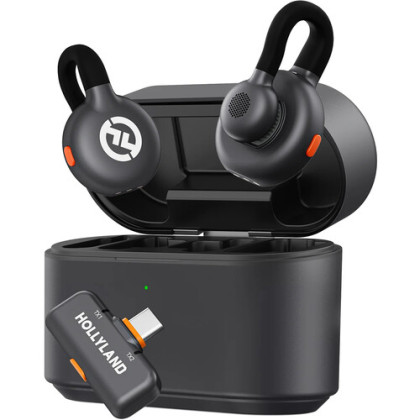
Add a dedicated mic path whenkeyboard, room or fan noise is fighting the host's voice.
Add hardware switching whenthe solo show becomes several cameras or physical video sources.
Gaming, face cam and Just Chatting

Start with one strong angle, then spend around it

A solo stream can stay software-led. The useful upgrades are the ones the viewer can actually see or hear: framing, light, audio and a reliable path into the computer.

Price, stock, warranty, condition and pre-owned availability are live from the Altech catalogue.
02 · Product / overhead / tutorial

A demonstration needs a camera that can leave your face and show the work.

UnboxingCookingRepairCraftRetail demo

Think in angles: host, table, close detail, screen capture. The first useful expansion is often a second perspective and a mounting solution, not a more expensive main body.

Add an overhead angle whenhands, products or process are more important than the host's face.
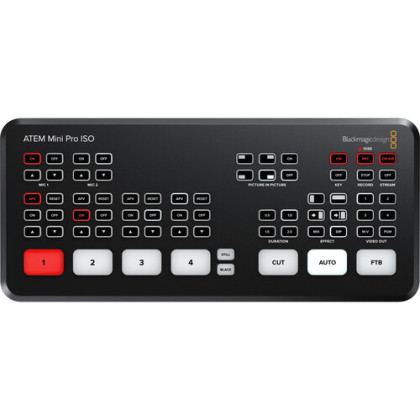
Add a switcher whenyou need to move between host, overhead, close-up and slides without mousing through scenes.
Add local recording whenthe same live session also needs clean clips or an edited tutorial afterwards.
Product demos, tutorials and overhead work

Build the demonstration around framing, not another graphics layer

A useful demo stream often needs a host angle plus a controllable product angle. Lens choice, mounting and repeatable focus matter as much as the capture device.

Price, stock, warranty, condition and pre-owned availability are live from the Altech catalogue.
03 · Podcast / interview / talk show

When people are talking, every camera upgrade still loses to bad voices.

PodcastInterviewPanelTalk showRemote guest

Start with how many people must be heard cleanly. Then decide whether the conversation needs one two-shot, separate host and guest angles, a room wide, remote callers or isolated recordings for post.

Add separate host/guest cameras whenthe edit or live cut benefits from reaction shots instead of one permanent wide.
Add a mixer/interface whenmore voices or wired microphones need independent control and monitoring.
Add ISO recording whenthe live show also has to become a polished podcast or edited programme.
Podcast, interview and talk show

For people talking, build the sound before the spectacle

One clear host, one clear guest and a predictable two-shot usually improve a conversation more than an extra camera angle nobody is operating.

Price, stock, warranty, condition and pre-owned availability are live from the Altech catalogue.
04 · Multi-camera room

The switcher belongs when there is something worth switching.

EducationWorshipStagePerformanceCorporateMulti-camera podcast

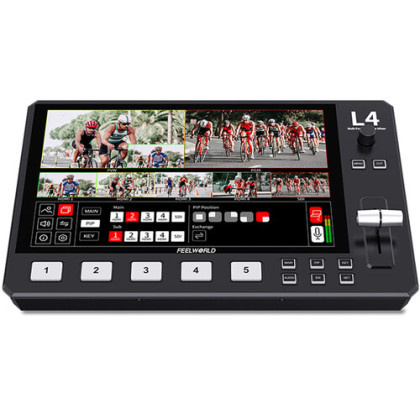
A room can grow from two HDMI sources into cameras, presentation feeds, playback, graphics, isolated recording, tally, monitoring and a dedicated operator. Build that control room around the source count and the people operating it.

Add more cameras wheneach angle has a clear job: wide safety, speaker, audience, instrument, product or detail.
Add operator monitoring whenone person needs to judge several sources before they go live.
Add redundancy whenthe stream cannot simply stop because a cable, computer or network path fails.
Multi-camera, teaching, worship and performance

When the room becomes a control room

Hardware switching starts to earn space when there are several sources, a repeatable operator workflow, presentation feeds or recordings that must survive beyond the live show.

Price, stock, warranty, condition and pre-owned availability are live from the Altech catalogue.
05 · IRL / event / venue

Once the desk disappears, every gram and cable has to earn its place.

IRLEventTravelRetail floorBackstageRemote production

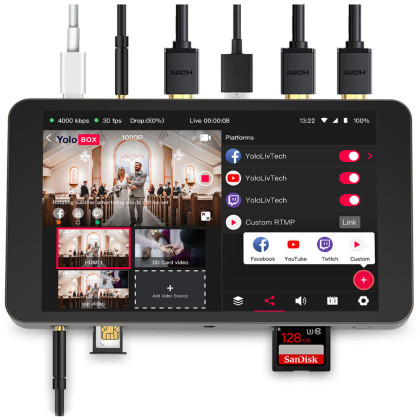
Portable streaming is camera + encoder + monitoring + battery + network as one moving system. A small all-in-one production device can remove a laptop, but the right answer can also be one camera or phone when the show does not need switching.

Add an all-in-one encoder whenyou need monitoring and production control without rebuilding a laptop station.
Add external power whenthe expected live duration is longer than the comfortable battery margin.
Add a backup network path whenthe location matters more than the convenience of one connection.
IRL, venue, event and remote live

For a stream that has to move

Once the desk disappears, weight, battery, monitoring and network resilience become the production problem. Fewer boxes can be more valuable than a larger camera.

YoloLiv YoloBox Portable Live Stream Studio New
Portable production hub

YoloLiv YoloBox Portable Live Stream Studio

Why we'd pick it

A self-contained route when monitoring, encoding and live controls need to travel together.

Watch out for

It is more kit than a direct phone or action-camera stream, so the production controls need to earn their weight.

Warranty 1 Year Warranty In stock
MYR3,599.00
View product →
Price, stock, warranty, condition and pre-owned availability are live from the Altech catalogue.
06 · Vertical / social commerce

If the show is portrait-first, stop treating portrait as a crop.

TikTok-style liveSocial commercePortrait interviewMobile audience

Products, comments, overlays and presenter blocking all change when the frame is tall. A vertical-first encoder or monitor can make sense when the operator and the audience are both living in that format.

Add a dedicated portrait camera whenreframing a landscape master consistently wastes composition or resolution.
Add product and close-up angles whenselling or demonstrating objects is part of the live format.
Add a larger production layer whenthe social live now needs guests, several sources, local recordings or repeatable show control.
Vertical live and social commerce

Portrait-first is a production choice, not a crop at the end

When the audience, overlays, product framing and operator UI are all portrait-first, build that orientation into the production instead of forcing a landscape workflow to behave vertically.

Price, stock, warranty, condition and pre-owned availability are live from the Altech catalogue.
How a streaming room earns complexity

A dream setup is not a tier. Every extra layer should remove friction or risk.

A compact one-camera room can already look and sound excellent. The larger production only becomes better when the extra devices give the host or operator something concrete: another useful perspective, tactile control, confidence monitoring, cleaner post-production, or a fallback when the stream cannot stop.

Reliable core

Get the show right before you scale it.

The core room is intentionally small enough that one person can understand every signal path and notice when something changes.

PictureOne reliable camera at a natural eye-line with framing that fits the actual room.
VoiceA microphone close to the speaker, with keyboard, fan and room noise controlled.
LightA deliberate key light for the face or product instead of hoping room light works.
PathOne predictable capture/encode path that can be tested end to end.
Expanded production

Scale when the show asks for more control, angles or resilience.

This is where an aspirational room earns its extra equipment: each addition expands the show or protects it rather than merely making the desk look more technical.

CamerasAdd a second, overhead or detail angle when the viewer genuinely needs another perspective.
AudioAdd monitoring, interfaces or mixing when more voices and sources require independent control.
SwitchingAdd tactile switching when software mousing becomes the production bottleneck.
MonitoringAdd programme/source confidence when an operator needs to see what is safe before taking it live.
RecordingAdd local or ISO copies when the live also needs clips, edits or a safety master.
ResilienceAdd backup power/network paths when failure costs more than the extra complexity.
Before buying another camera

Diagnose the weakest layer of the show.

If the feed drops, look at network and encode. If voices are poor, fix microphones and monitoring. If the picture is flat, fix light and lens placement. If operators miss cues, improve control and monitoring. If the live is good but the edit is painful, add recording. The shopping list should follow the failure mode.

Recording first, streaming second?

Use the creator guide when live delivery is not the main constraint.

If the real job is creator video, hybrid photo + video or cinema-style production, start with camera and lens workflow there, then bring the pieces that make sense back into the streaming system.