Live Streaming · Facecam
Measure the desk before choosing the camera lens.
A facecam fails when the camera cannot sit far enough back, the lens is too tight, the face is poorly lit, or the HDMI/power path is unreliable. Sensor size is not the first question. Start with camera-to-face distance and what you want in frame.
Visual setup · body, capture, light
The camera is only one object in the facecam system
The camera body, capture path and face light have separate jobs. The lens choice comes next because the real desk distance decides whether the view fits.
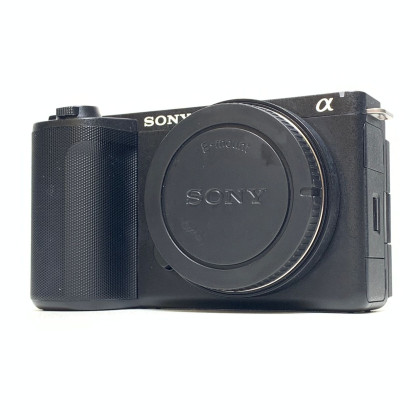 Camera [USED] Sony ZV-E10 II Mirrorless Camera (98% Like New)
The body provides the image and focus platform.
Camera [USED] Sony ZV-E10 II Mirrorless Camera (98% Like New)
The body provides the image and focus platform.
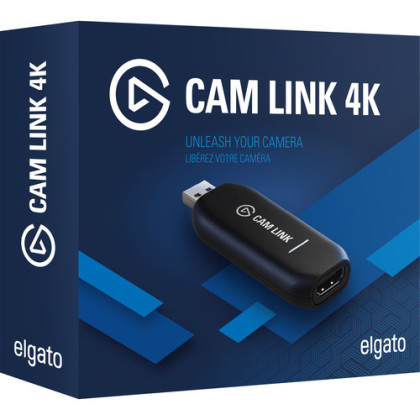 Capture Elgato Cam Link 4K (HDMI Input For Mac / Windows , Video Capture Card)
Bring a compatible HDMI camera into the computer production.
Capture Elgato Cam Link 4K (HDMI Input For Mac / Windows , Video Capture Card)
Bring a compatible HDMI camera into the computer production.
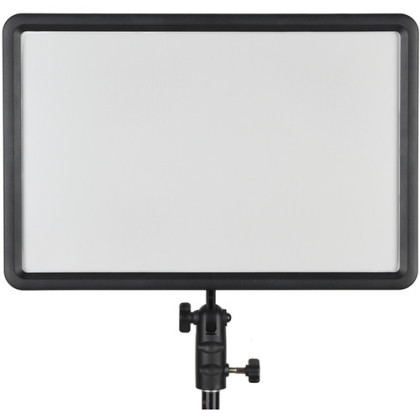 Light Godox LEDP260C Bi-Color LED Light Panel
Give the face a stable exposure before blaming the camera body.
Light Godox LEDP260C Bi-Color LED Light Panel
Give the face a stable exposure before blaming the camera body.
Price, stock, warranty, condition and pre-owned availability are live from the Altech catalogue.
Before buying anything
Decide what the camera needs to see from the place it can actually sit.
The same camera can feel perfect or unusable depending on monitor depth, wall distance and lens. Put a phone where the facecam will sit and look at the geometry before shopping.
Lens decision · pick one, not both
Choose one lens for the room
The lens is the part that decides whether the camera actually fits the desk. Use the fixed 11mm route for one known tight framing; use the 10–18mm zoom when the mounted camera needs several useful wide framings.
![[JULY SALES] Sony E 11mm F1.8 Lens](https://s3-ap-southeast-1.amazonaws.com/altech-prod/uploads/public/62f/9fa/82f/thumb_53445_520_420_auto.jpeg) New
New
Fixed ultra-wide option
Sony
[JULY SALES] Sony E 11mm F1.8 Lens
Why we'd pick it
A bright, genuinely wide Sony APS-C prime when the camera must sit close because a wall or monitor limits working distance.
Watch out for
The fixed 11mm view is specialised; it is not the lens we would choose if you also need normal portrait/detail framing.
Warranty 1 Year + 1 Year Sony Malaysia Warranty
In stock
MYR2,050.00
View product →
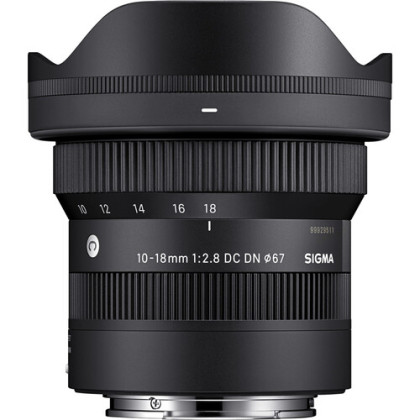 New
New
Flexible ultra-wide option
Sigma
Sigma 10-18mm F2.8 DC DN Contemporary Lens (Sony E) (3 Years Sigma Malaysia warranty)
Why we'd pick it
A compact f/2.8 ultra-wide zoom for someone who needs to tune framing between very wide and moderately wide without moving the whole rig.
Watch out for
More expensive and larger than a fixed prime, and still specialised toward the wide end.
Warranty 2+0.5 Years Sigma Malaysia Warranty
In stock
MYR2,999.00
View product →
Price, stock, warranty, condition and pre-owned availability are live from the Altech catalogue.
Camera path · body, capture, light
Complete the camera path with only the roles you do not already own
This is one example camera route around the lens choice above. Keep your existing camera, capture or light if it already performs the role; the page is not asking you to rebuy all three.
Pre-Owned
Camera body
Sony
[USED] Sony ZV-E10 II Mirrorless Camera (98% Like New)
Why we'd pick it
A compact creator camera that can live on a desk but also leave the desk for normal creator work.
Watch out for
It is not a complete facecam by itself; lens width, power and capture still matter.
Condition Pre-loved
Warranty 1 Month Shop Warranty
In stock
MYR3,499.00
See this actual unit →
New
Computer capture
Elgato
Elgato Cam Link 4K (HDMI Input For Mac / Windows , Video Capture Card)
Why we'd pick it
The simple route to bring a compatible HDMI camera into OBS or other computer-based production.
Watch out for
Confirm your exact camera output, connector and long-run power before assuming Cam Link completes the path.
Warranty 3 Months Shop Warranty
In stock
MYR579.00
View product →
New
Face light
Godox
Godox LEDP260C Bi-Color LED Light Panel
Why we'd pick it
A compact bi-colour panel with AC power for a fixed desk where repeatable face exposure matters more than decorative RGB.
Watch out for
You still need a sensible mounting/stand position and room to angle it.
Warranty 3 Months Shop Warranty
In stock
MYR339.00
View product →
Price, stock, warranty, condition and pre-owned availability are live from the Altech catalogue.
Reviewed by
Altech Camera team · Kuala Lumpur
Last reviewed 18 September 2026
How we maintain this guide
This guide treats facecam as a physical camera-system decision: real working distance, field of view, face lighting, capture and long-session operation. The product shelf is built as one explainable camera path rather than a list of unrelated streaming cameras.
Shop in Kuala Lumpur
Build a streaming facecam setup in Kuala Lumpur
Altech Camera in Kuala Lumpur carries creator cameras, ultra-wide lenses, HDMI capture and continuous lighting for fixed facecams. Measure the real desk distance first, then buy the camera-system role that solves framing, light or capture.
Altech Camera · Kuala Lumpur
Altech Camera Lot 0639, Level 6 (West), Berjaya Times Square, No. 1, Jalan Imbi 55100 Kuala Lumpur, Malaysia Call +60129315510
Skip rule
If your current lens already frames the host comfortably from the real desk position, buy neither ultra-wide.
The 11mm and 10–18mm are solutions to a distance/framing problem, not compulsory streaming lenses.
What the shelf does not include automatically
Mounting, power and cable details depend on your exact desk and camera.
These are the items that should be checked against the setup instead of blindly bundled.
Where does the camera physically go?
Tripod, clamp, monitor shelf or arm all change eye-line and stability. Choose based on the desk, not on a generic creator rig photo.
Keep the lens close to the place the host actually looks.Can the camera stay on for the full session?
Confirm the long-session power plan for the exact camera. Do not discover battery or heat constraints during the live.
The reliable facecam is the one that stays boring.Connector, clean output and cable length
Cam Link is only the computer end. Verify the camera output and the cable/connector needed to reach the desk cleanly.
Capture is a chain, not a single product.The panel needs space to be useful.
A face light belongs above/side of eye-line with room to angle it; the wrong mounting position can make a good light harsh.
Plan the stand/clamp position before checkout.Already own part of the setup?
Shop only the role you are missing.
If you already have a compatible camera, skip the body. If your lens already fits the room, skip the wide lens. If the image is properly lit, do not buy another light because it is listed here.
The camera is only one part of the stream
Go back to the use case when the bottleneck changes.
Gaming focuses on the whole PC desk. Just Chatting focuses on host voice/presence. Solo Host focuses on one-person operation and repeatability.